
June 2026 Monthly Update
We're excited to announce the following updates!
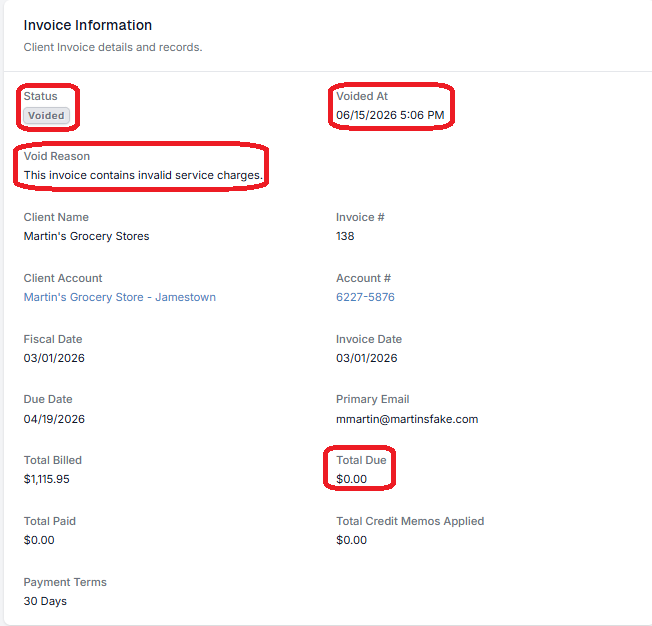
Void Client Invoices
Sent client invoices can now be voided with a required reason. Voiding reverses all linked charges back to ready-to-bill, syncs to QuickBooks Online if applicable, and notifies the client by email.
Learn how to void a client invoice!
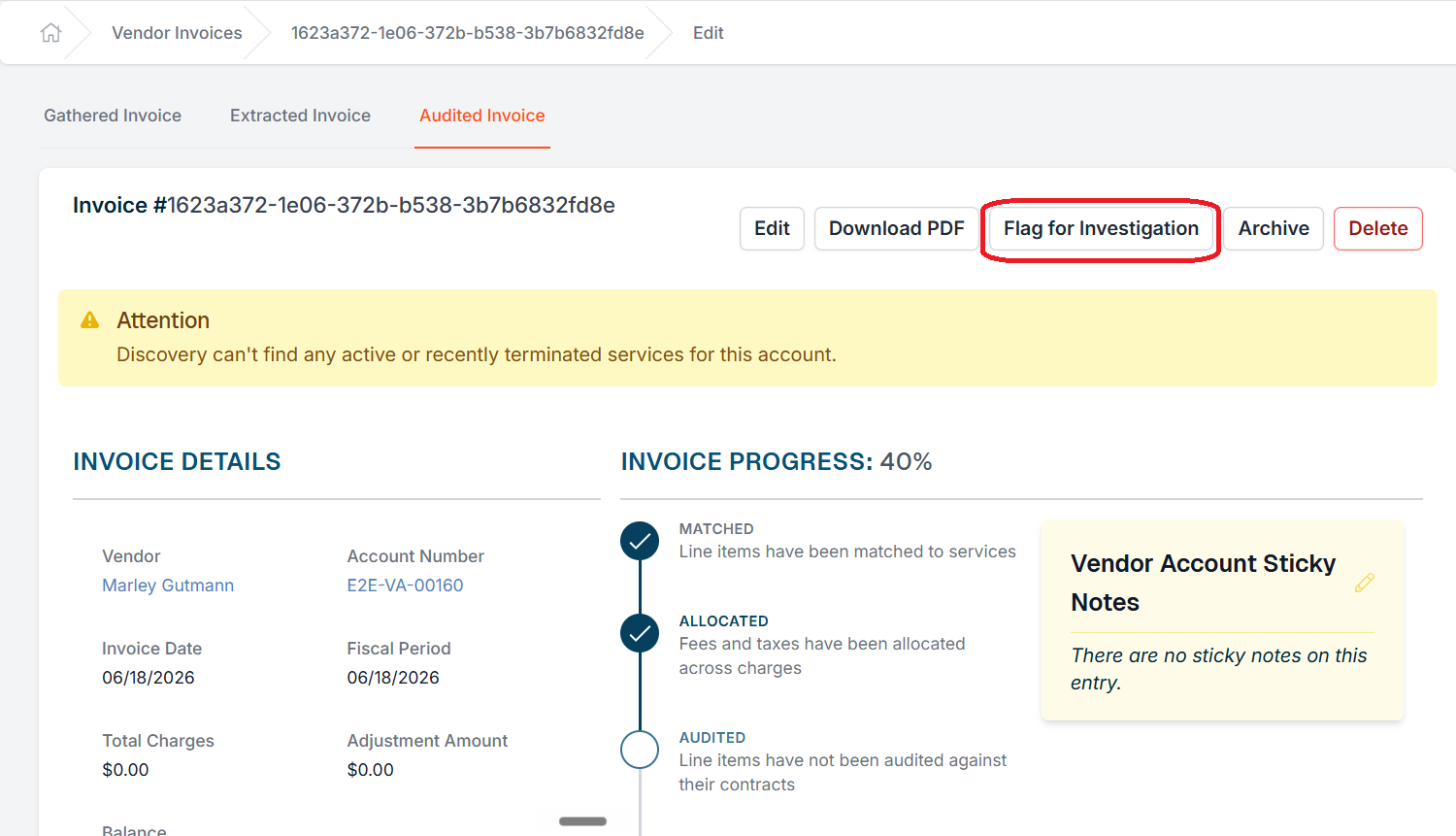
Flag Vendor Invoices for Investigation
Users can mark a stuck vendor invoice as "Under Investigation" to signal that it needs attention. A banner appears on the invoice detail page showing who flagged it, and flagged invoices are badged and filterable on the invoice list — preventing duplicate work while the issue is being resolved.
Learn more about flagging a vendor invoice for investigation.
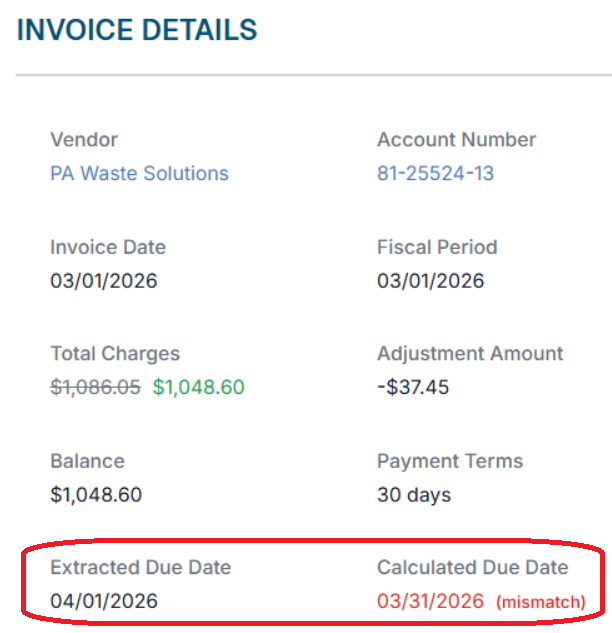
Vendor Invoice Due Dates
The vendor invoice and audit pages now show two due dates side by side: the date extracted directly from the invoice PDF and the calculated due date based on the vendor contract's payment terms. If the two don't match, the discrepancy is highlighted in red. Both dates are also available as columns in custom reports.
Learn more about vendor invoice due dates.
Vendor Default Payment Terms
Vendors now have a "Default Payment Terms" field. When creating a new vendor contract, the Payment Days until Remittance field is pre-filled from this default automatically. Blank default fields on the vendor contract create screen (contract term length, renewal terms, and notification windows) no longer pre-fill with arbitrary values.
See more on how to create a vendor!
Filter by OCR Error Type on the Extract Invoice Page
The Extract Invoice page now supports filtering by specific error type — required field failures, potential duplicates, and line item issues — so teams can work through a class of errors in bulk instead of one at a time.
The filter options include:
- Required Field Missing
- Potential Duplicate
- Line Item Issue
- Missing Vendor Account
Learn more about the filter options.
More Variables for Incident Notification Emails
Seven new bin/service variables are now available in the incident initial notification email template: area description, bin size, bin size metric, bin type, quantity, frequency, and material type.
See the full list of variables here!
Clearer API Error Messages
403 responses now include the actual policy denial reason instead of a generic "This action is unauthorized" message.

If you have additional questions or need more in depth information, please feel free to send us a message using the help beacon in the lower right-hand corner.