
Manually Posting Vendor Invoices
Manual posting allows organizations that are not connected to an external accounting system (such as QuickBooks) to lock approved vendor invoices against further editing. It provides a lightweight alternative to accounting-system posting when your workflow does not require syncing invoices to a third-party system.
Note: If your organization is connected to QuickBooks Online or QuickBooks Desktop, use the standard posting workflow instead. See How Do I Post Approved Vendor Invoices to QuickBooks?. Manual posting is only available when no accounting system is configured.
Enabling Manual Posting
Manual posting must be enabled by an owner, administrator, or user whose role has the settings permission before it is available to users.
- Navigate to Settings → Accounting Integrations.
- Ensure your organization has no accounting system connected. The Manual Posting option is greyed out while an accounting system is set.
- Under the Manual Posting section, toggle Manual Posting on.
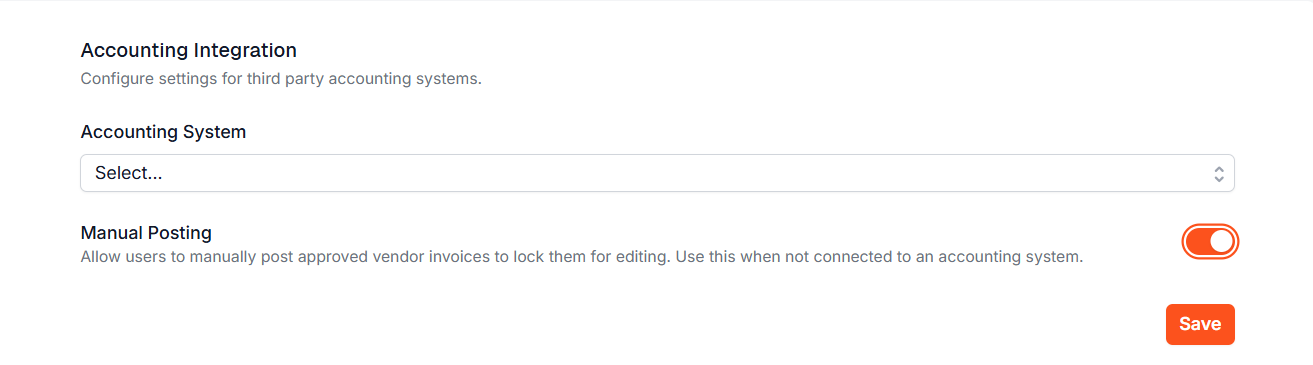
- Click Save.
Once enabled, approved vendor invoices show a Manually Posted step in their progress tracker, along with a Force Post button.
Posting a Vendor Invoice Manually
A vendor invoice must be in Approved (or Revenue Check Failure) status before it can be manually posted. The fiscal period for the invoice must also be open.
- Open the vendor invoice you want to post.
- In the progress tracker, click the Manually Posted step.
- Confirm when asked “Are you sure you want to post this invoice? Once posted, the invoice will be locked and cannot be edited.”
- The invoice status will change to Manually Posted.
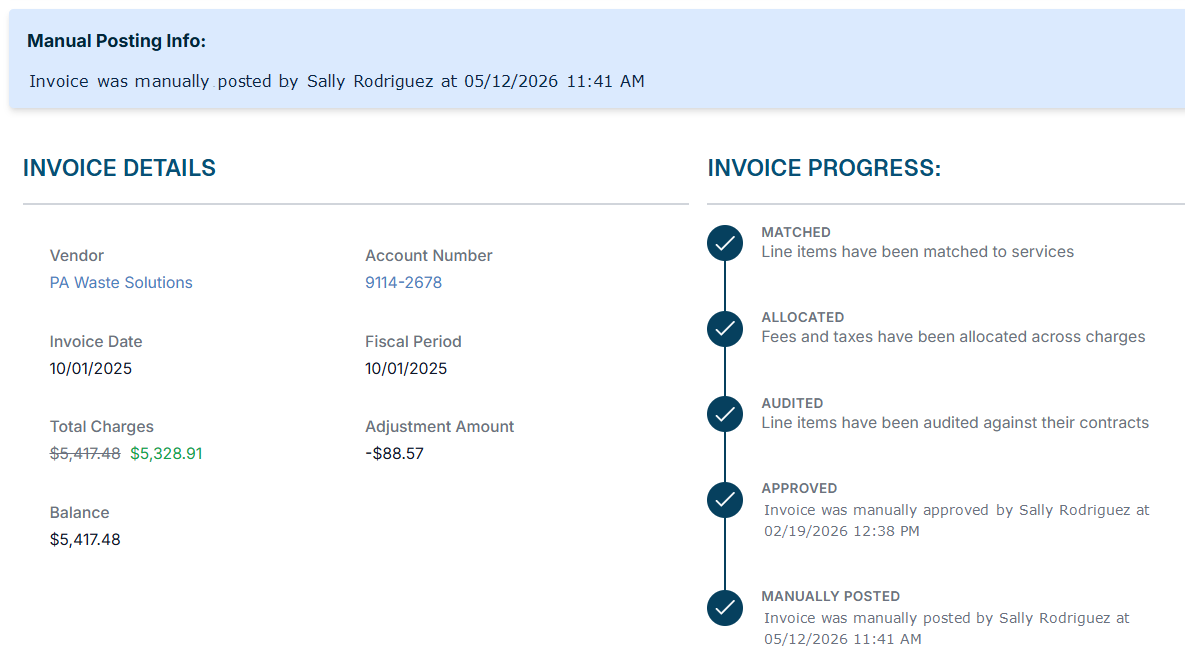
Once posted, the invoice is locked for editing. A Manual Posting Info panel on the invoice shows who posted it and when.
If your tenant has Revenue, Discovery first checks for matching client revenue. If none is found, the invoice isn’t posted, and you’ll see “…no matching revenue found. Use force post to override.” To post without that check, use Force Post.
Unposting a Vendor Invoice
Only Owners and Admins can unpost a manually posted invoice. Unposting returns the invoice to Approved status and unlocks it for editing.
- Open a Manually Posted vendor invoice.
- Click the Unpost button in the action bar.
- A confirmation dialog will appear. Enter a reason for unposting (minimum 10 characters).
- Click Unpost Invoice to confirm.
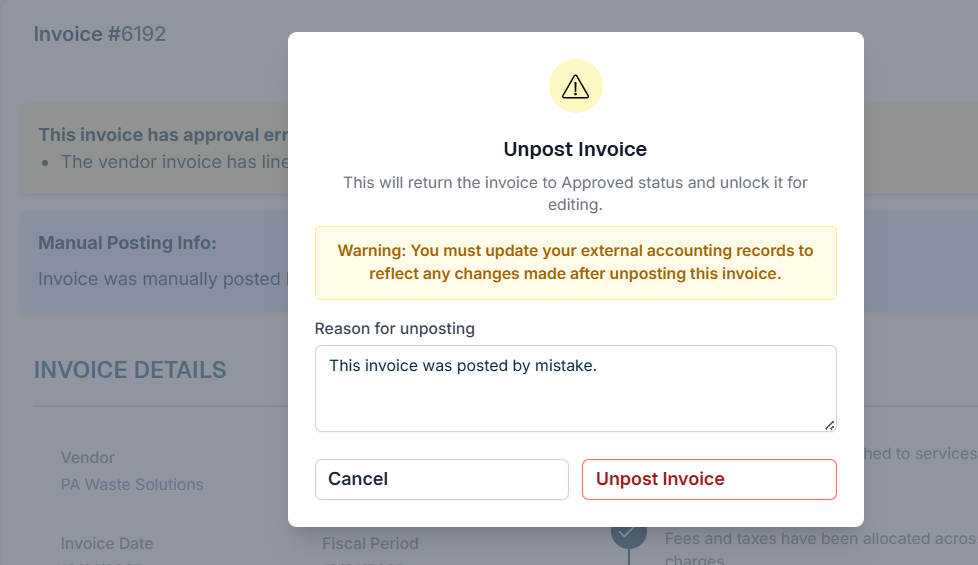
Warning: If your organization maintains external accounting records (spreadsheets, another system, etc.), you must update those records to reflect any changes made after unposting this invoice.
Manually Posted vs. Posted
|
|
Posted | Manually Posted |
|---|---|---|
| Requires accounting system | Yes (QuickBooks) | No |
| Locks invoice for editing | Yes | Yes |
| Who can post | Any user | Any user (when enabled) |
| Who can unpost | Any user, if Allow Vendor Invoice Unposting is on | Admin only |
| Syncs to QuickBooks | Yes | No |

If you have additional questions or need more in depth information, please feel free to send us a message using the help beacon in the lower right-hand corner.