
Location Audits
This guide explains what a Location Audit is, why it’s used, how to send one to your customer, and what both you and your customer can expect during the process.
Watch the video below for a brief walkthrough.
What is a Location Audit?
A Location Audit is a short checklist that your customer fills out to confirm that the service information at their location is correct.
It helps make sure things like container sizes, pickup schedules, and hauler names are accurate.
Audits are commonly used for:
- Annual service reviews
- Preparing for bids or contract reviews
- New location onboarding
Why send a Location Audit?
Sending an audit lets the customer review their own services and tell you if anything is wrong.
This helps you:
- Catch mistakes early
- Keep service records accurate
- Avoid billing or service issues later
It also creates a record that shows what the customer confirmed or corrected.
How do I send a Location Audit to a customer?
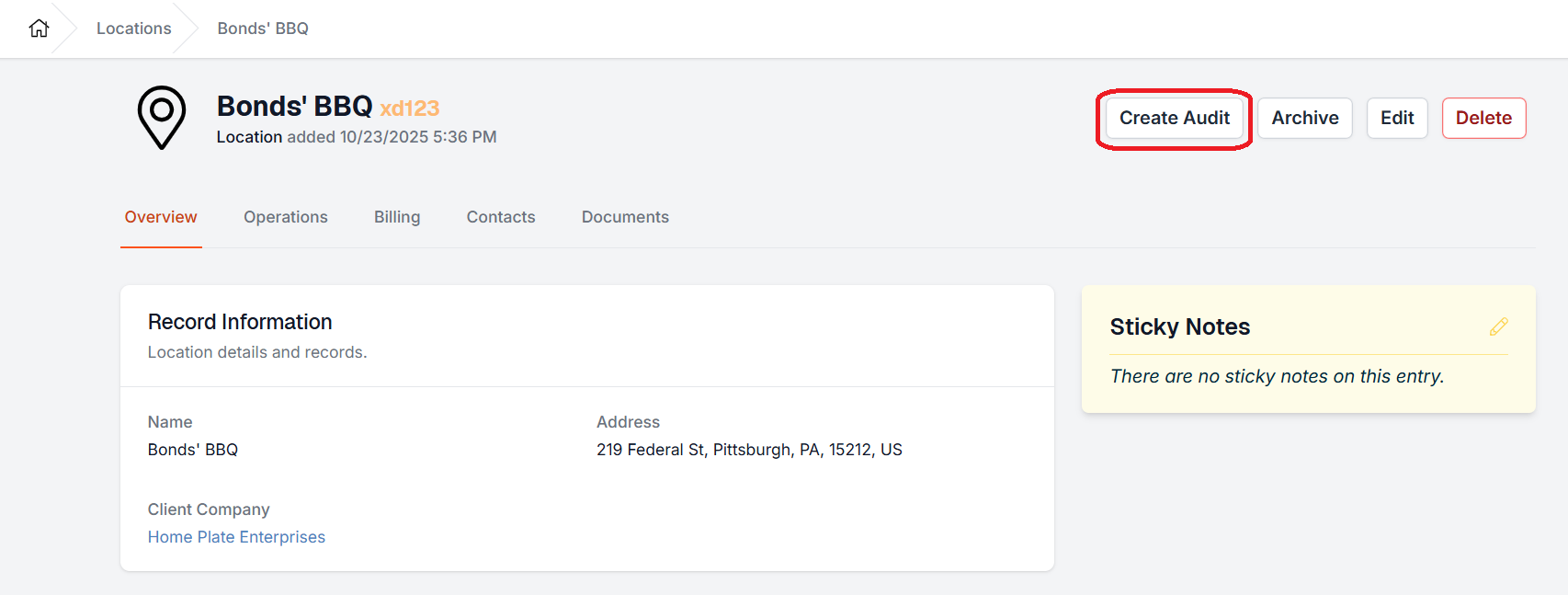
You send audits from the Location page.
Steps:
- Go to the Location you want audited
- Click Create Audit
- Confirm the Location and enter a Link Expiration date (max 180 days)

- Pick the recipients. You can select from existing location contacts or add email addresses.

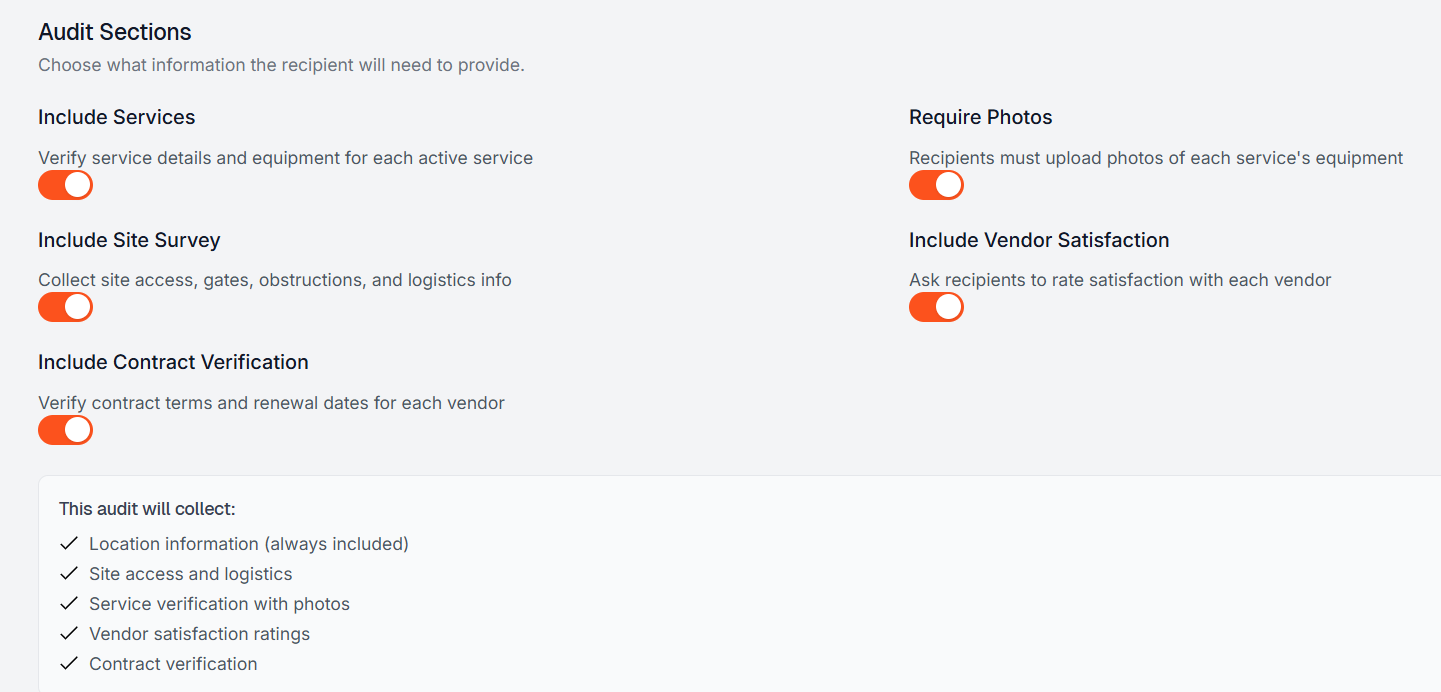
- Use the toggles to confirm which Audit Sections you would like the customer to complete.
- Include Services
- Include Site Survery
- Include Contract Verification
- Require Photos
- Include Vendor Satisfaction
- Click Create Audit & Send Invitation.
Once sent, the customer will receive an email with a link to complete the audit.
What does the customer receive?
The customer gets an email that:
- Explains that you are asking them to review their services
- Includes a link to open the audit
- Works on desktop, tablet, or phone
They do not need to download anything.
When they click the link, they will see a page with:
- Their location details
- Each service listed separately
- Simple buttons to mark each item as Correct or Wrong
What does the customer need to do?
The customer will:
-
Review each piece of required information (specified in the audit creation process above)
Mark it as:
- Correct — if it looks right
- Wrong — if it needs to be changed
- If they choose Wrong, they enter the correct info
- Submit the audit when everything is complete
Their progress saves automatically, so they can leave and come back if needed.
They cannot submit until:
- All required fields are reviewed
- If Require Photos setting was toggled on, then customer must include photos for each service verification.
What happens after the customer submits the audit?
After submission:
- Your team is notified that the audit is ready to review
- The audit is locked so the customer can’t change it anymore
- An employee reviews the responses and photos
During review, your team can:
- Confirm the updates
- Follow up if something is unclear
- Make service updates if needed
Once reviewed, your team can Mark the Audit as Verified.
The completed location Audit will appear under the Location Audits heading on the location's Operations tab.
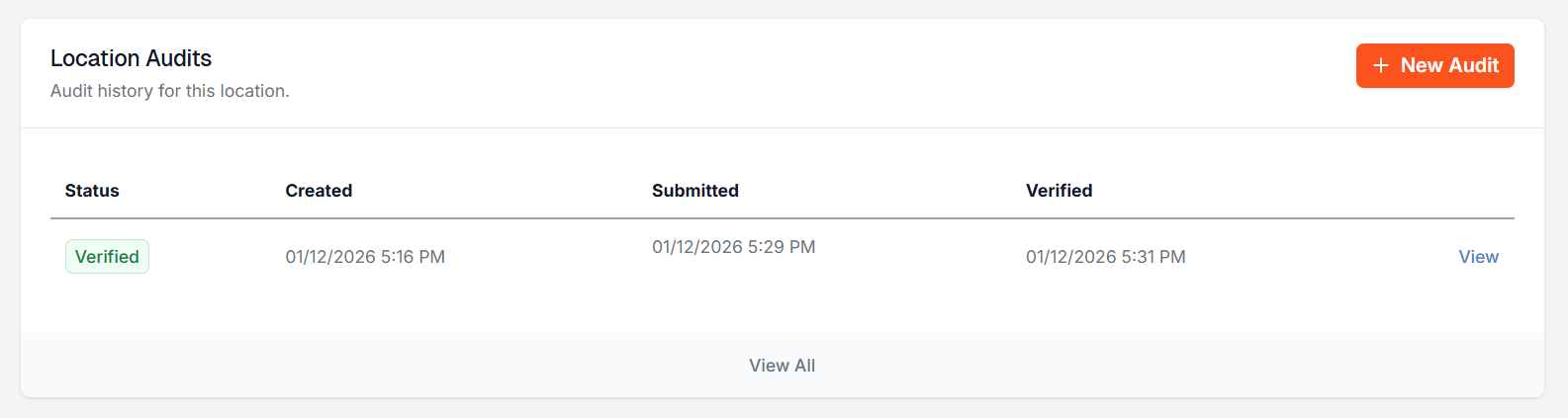
You can open the completed audit to:
- See what the customer confirmed
- See what they changed
- View uploaded photos and site maps
- See what suggestions they provided
- Gauge their vendor satisfaction level (if required)
This is helpful for:
- Service corrections
- Contract reviews
- Internal documentation
Can I resend or send another audit later?
Yes. You can send a new audit for the same location anytime, for example:
- During the next annual review
- After service changes
- Before a new contract or bid
Each audit is saved separately, so you’ll always have a history of past reviews.
If a customer has not completed an audit that you have previously sent, you can send a reminder from the Location Audit's view page by hitting Resend Invitation in the top right corner.
Audit Status Indicator
The Location View page displays a color-coded icon next to the location name showing the status of the most recent active audit at a glance — no need to scroll to the audit table.
| Icon Color | Audit Status |
|---|---|
| Green | Verified |
| Blue | In Progress |
| Yellow | Submitted |
| Grey | Draft |
Hovering over the icon shows the relevant date — the verified date for verified audits, or the created date for all others. No icon is shown if the location has no audits or if all audits have been cancelled.
Force Submit: If a customer has not completed their audit, a Discovery admin user can force-submit from the location audit view page. The Force Submit button appears in the top-right corner when the audit status is In Progress (not available for Draft, Submitted, or Verified audits.) Clicking it opens a confirmation dialog requiring the user to enter a reason before proceeding. Once confirmed, the audit status changes to Submitted and the activity timeline records the override — including which user performed it, the timestamp, and the reason provided. This action is irreversible; the existing verify/unverify workflow continues to apply from that point forward.
Cancelling a Location Audit
If an audit was sent in error or is no longer needed, it can be cancelled rather than deleted. Cancelling preserves the audit record while clearly marking it as void.
To cancel an audit:
- Open the audit from the location's audit list
- Click the Cancel Audit button in the top-right corner (visible on Draft and In Progress audits only)
- Enter a reason in the Internal Notes field — this is required to confirm cancellation
- Click Confirm Cancel
Once cancelled, the audit cannot be transitioned back to any other status. The recipient's audit link becomes read-only and displays a notice that the audit has been cancelled — no fields can be edited or submitted.
Internal notes entered at cancellation remain visible on the audit detail page and can be edited by staff at any time. Cancelled audits can be filtered on the audit index page using the Cancelled status filter.
Helpful things to know
- Audits are tied to a snapshot in time — they show what services looked like when the audit was sent
- If services change later, the audit still keeps the original info for reference
- Photos can be required so you have visual proof of containers and service areas
- Audits must be reviewed by an employee before being verified and fully finalized
- Audits can be assigned to employees

If you have additional questions or need more in depth information, please feel free to send us a message using the help beacon in the lower right-hand corner.